Update: A friend shared with me a letter written by Dr. Hastings, the original creator of Movie Talk, explaining what is and what isn’t a Movie Talk. Turns out, what we call a “Movie Talk” doesn’t really represent his original concept, and therefore, we are asked to use a different term to describe what we do. To respect his wishes, I’ll use the term “Clip Chat”. If you’re interested in what constitutes a Movie Talk and what doesn’t, here’s his description in Dr Hastings’s own words.
So, you’ve done a greatClip Chat, now what?! Keep that input flowing (and give yourself a break!) with activities to reinforce and recycle the structures that you focused on during the Clip Chat. Here are my favorite ways to stretch out the story and some assessment ideas to wrap everything up at the end.
This is not intended to be a check-list! Don’t work your way through every activity; your students will be thoroughly over the Clip Chat if you do. Pick a few ways to get some more mileage out of your Clip Chat that sound fun to you. You’ll know when it’s time to move on to another topic.
Activities to stretch out that story:
Write & Discuss:
We almost always follow a Clip Chat with Write & Discuss, an easy, no prep activity where the teacher and students collaboratively recreates the story as the teacher writes (or types it out). Students can watch, participate in the discussion, and read the finished text OR…you can ask them to write (copy) the story as you write (which is what works best for us at The Chase Place because my Little Darlings are a bit, ahem, squirrely.)
Write and Discuss is a great place to draw their attention to form (aka grammar) and how the form affects the meaning (aka grammar pop ups). Sometimes we’ll write out the story from a different point of view (In the Shakira example in part 1 of this post), next week we are going to write out the story as if Shakira’s telling it: I am Shakira and I am very famous, that’s why I have a lot of fans. One day, I go to my favorite hotel in NYC but something strange happens: when I enter the room, I hear something. It’s a sandwich, singing to me. Alternatively, if you told the story in the present tense during class, you could write it out in past tense. Looking for a step by step guide with a video demo of Write and Discuss? Here you go!
Textivate:
If you’re a Textivate subscriber, you know how awesome it is! If you’re not, its a program that will allow you to create one million games and activities using any text. Just drop your Clip Chat story in and away you go! Here’s a very detailed Textivate Tutorial that will get you up to speed. We do a Textivate every Clip Chat because it gives them a lot more exposure to the vocab and text and it gives me a break from being front and center (and time to excavate my desk and inbox!)
Read and Screenshot:
I learned this one from Ashley over at Señorita Spanish and it is my GO TO SUB PLAN…it keeps those Little Darlings busy reading the whole period. Here are Ashley’s original instructions (video) and here’s how I’ve adapted it to use at The Chase Place:
Create a Slideshow with these instructions and a link to your original Clip Chat video.
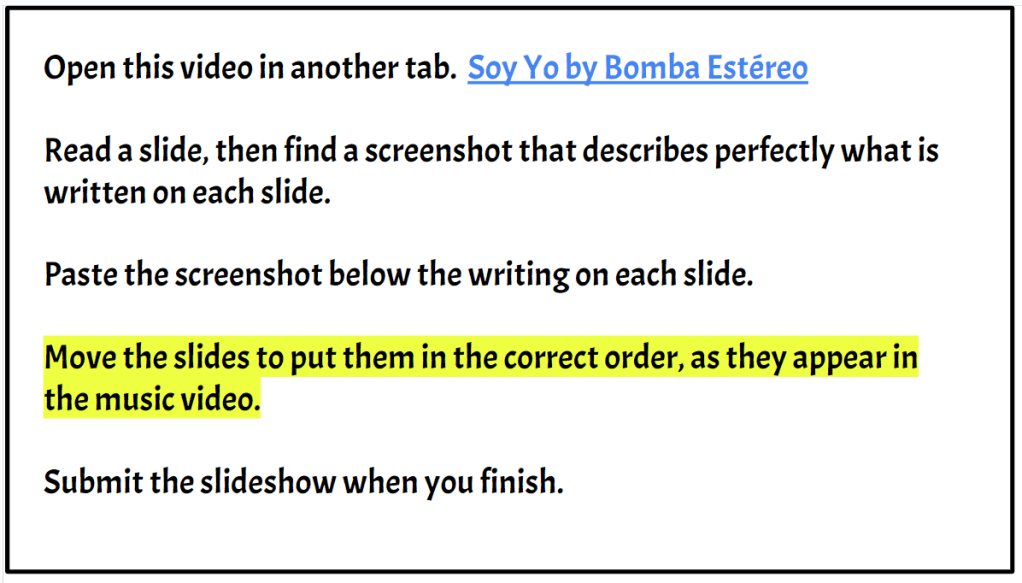
On the next slide, I show them an example of what they’re supposed to do:
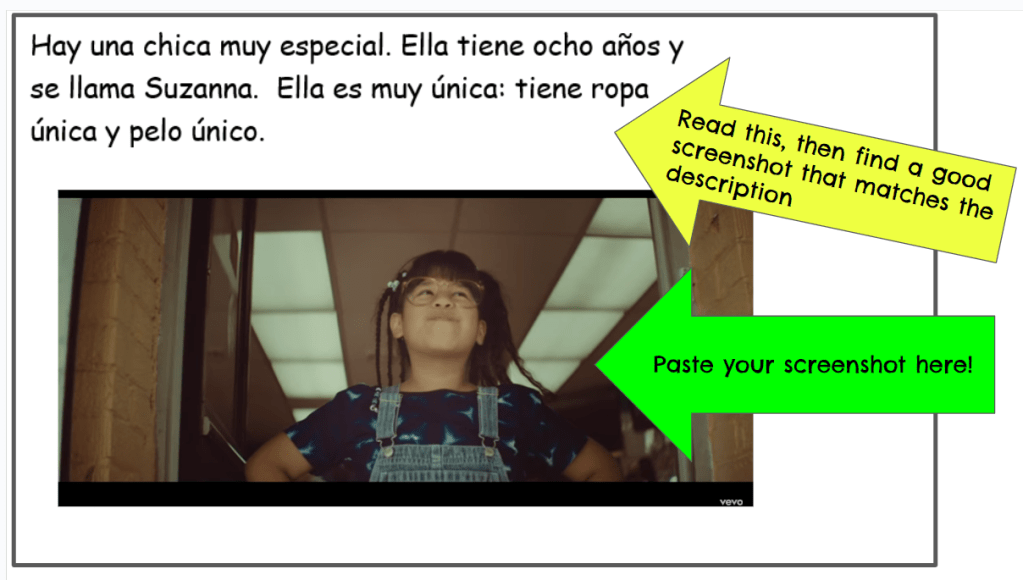
Create a bunch of slides with text but no pictures. Since my Little Darlings are sneaky (and because their Chromebooks offer to translate Spanish into English,) I write the text in a google doc first, then take a screenshot of the text to paste into the slide. It looks like I typed directly into the slide, but really it’s a picture (that makes is harder for google to translate). Here’s what it looks like:
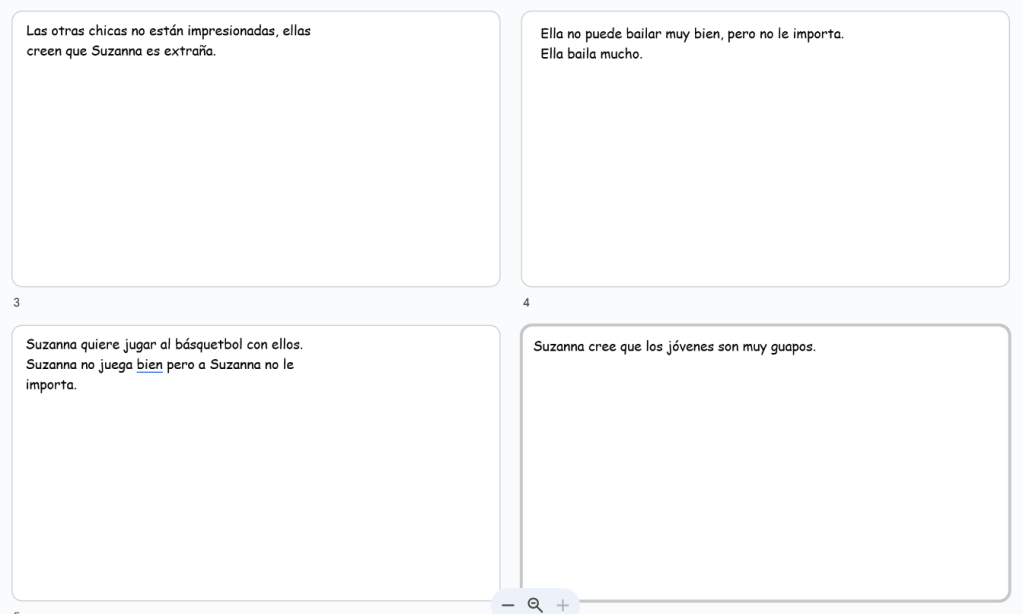
And to make it a bit trickier for them, I mix up my slides so they’re not in the same order they appear in the Clip Chat. Now that you’ve got your slideshow ready, post it in Google Classroom, as “Make a copy for each student”. While you’re away, students read each slide, watch the video, find a scene that matches each description, paste a screenshot below the description THEN drag the slides into the correct order before submitting. Sub Plan Complete!
To make this easy for my TA to grade, I intentionally write my sentences to create a codeword using the first letter of each sentence. Once students have put them into the correct order, the first letter of each sentences will spell out a secret word. My TA will confirm that there’s a picture on each slide that matches the description AND that the first letter of the first word on each slide spells out the secret word. If it’s perfect, she gives them 100%, if it’s pretty close she’ll give them a 95%-90%, if they didn’t even attempt to put them in the write order she’ll send it back to them and ask them to try again. (This great codeword trick is brought to you by Kristy Placido or Carrie Toth…I can’t remember which brilliant lady taught it to me!)
Play
You know I’m the Queen of Games and here are some of my favorites that will give them more input after we’ve done a Clip Chat together:
- POP Up
- Reverse Charades
- Quick Draw
- Lucky Dice
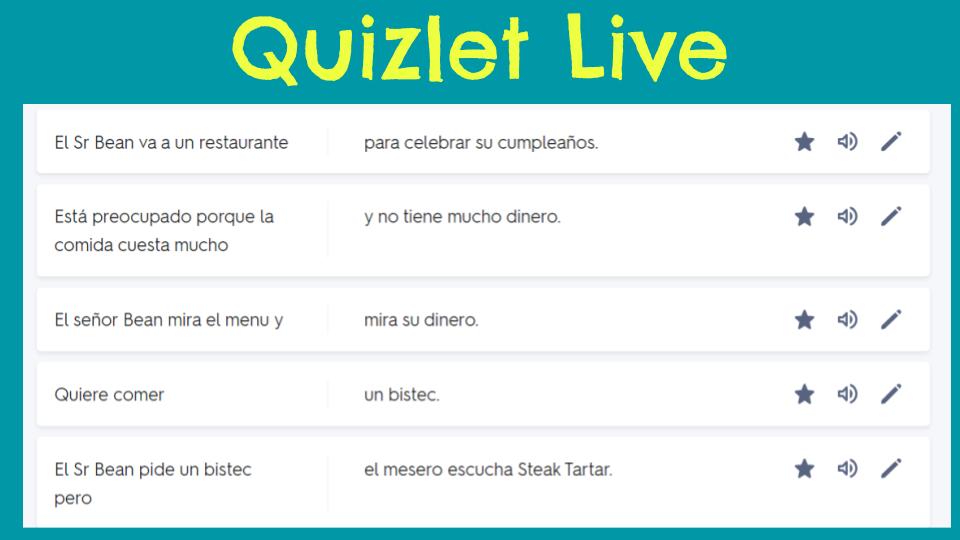
- Quizlet Live or GimKit or Blooket (students match up the beginning of the sentence with the end of the sentence, so they’re doing lots of reading, see examples below!)


Assessment ideas for Movie Talks:
In my district, we isolate the skills to assess and each level has an ACTFL Proficiency target. You can read more details about our grading philosophy here. I do NOT assess each skill for each Clip Chat because that sounds awfully cumbersome and you will not meet someone who loathes grading more than I do. Below are a few ideas for each skill, pick one or two, if you must do a formal assessment. I favor Reading and Listening assessments, because: More Input= More Acquisition. (And that’s exactly the reason I allow and encourage test retakes.)
Reading:
If you want to do an easy reading quiz, Clip Chat Jumbles might float your boat.
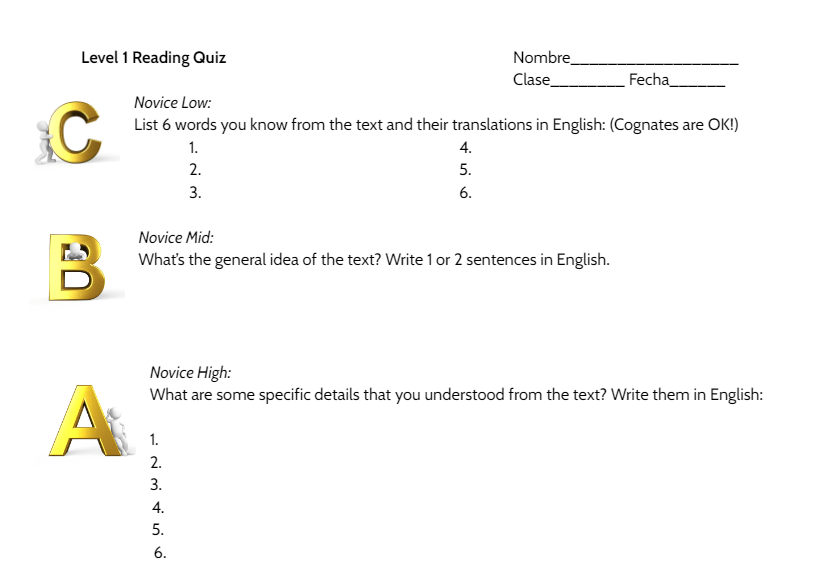
If you’re looking for something a bit more involved, write out another version of the story, using the same structures as the original Clip Chat. Don’t give them an identical copy of the story you did together, because we want to assess what they can read and understand, not what they remember. Maybe you write the prequel of what happened before the Clip Chat or what happened afterwards, or maybe you tell the story from another character’s point of view adding in unique details. Once you’ve got a text that your students should be able to understand, print off a Reading Quick Quiz and you’re in business.
Listening:
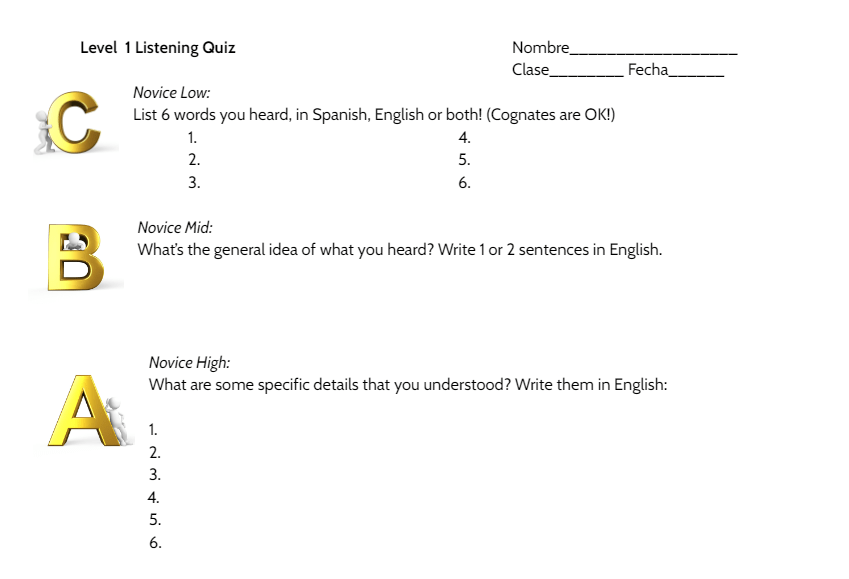
Like for the reading assessment, don’t give them the same story again! Change it up so you can measure what they understand (not their memory!) I rewrite the story (or a story using the same structures but totally different characters, setting, etc) and then I record me reading it slowly, either using my phone, FlipGrid or Loom/Screencastify. I upload the video to my YouTube channel (unlisted, so the Little Darlings can’t find it and I add it to an Assessment PlayList so it’s easy for me to find when I need it.) In class I play the video and ask them to just listen the first time. Then I pass out a Listening Quick Quiz, then play the video a second time while they’re completing their test. After the video is over I give them a bit of time to write before playing it a third time. Do they need to hear it three times? No, most are set after the second, but more input = more acquisition, so it’s good for their brains!
Writing:
Kara Jacobs shared this writing prompt with us in Costa Rica (they’re planning a 2024 Training for CI teachers, so if you’re interested, reach out right away!) and it has been such a fun one: Write the story of ________ (name of Clip Chat) but change the details. They are so fun to read: the high flyers really have room to soar and the Little Darlings who struggle are able to change names, places, etc. I use these rubrics to score their writing.
Speaking:
Personally, I prefer not to make a big deal about speaking grades. They’re stressful for students and they really can’t do anything to clean up their speaking. (At least in writing assessments, they have time to monitor their language production). I prefer to use my Magic Cards throughout class to assess speaking more informally, if you have to include speaking in your gradebook.
If you want to do a more involved speaking grade, here’s the system I like the best. Students chat with a partner as the teacher eavesdrops. And please oh please for for the love of Language Acquisition, hold off until the end of Level 1 to assess their speaking formally!!

 Señora Chase
Hi! You mentioned a PD opportunity with you and Kara Jacobs in 2024. Can you send me more information about it!? Lisa Conzemius Spanish teacher Aquinas High School
LikeLike
Hi Lisa!
Kara and I did a CI training trip 2 summers ago in Costa Rica that was amazing!! Kara is running it again this year but I’m not able to participate this year, but you should totally check it out!!
https://www.livetheosa.com/group-experience
Scroll down to: Itinerary 2024 CI Trip for Teachers
And there’s a contact link to express interest or if you have questions.
LikeLike