Hello my friends!
It is that time of year! Back to School! 🎉🎉🎉
Eons ago I shared my Start of the Year Syllabus (it was LONG, BORING and took half a forest to copy for all the Little Darlings!) Since then I’ve streamlined it and it’s about dang time I shared it with you.
Now it’s a clickable slideshow with the highlights. I post it in Google Classroom, share it with parents via a Google Form (more on that below) and bookmark it so it’s ready to roll. Rather that reading through the whole syllabus in one class period (zzzzzzzzzz sooooo boring and soooo much English!) I start each class with a slide or two, or as questions come up:
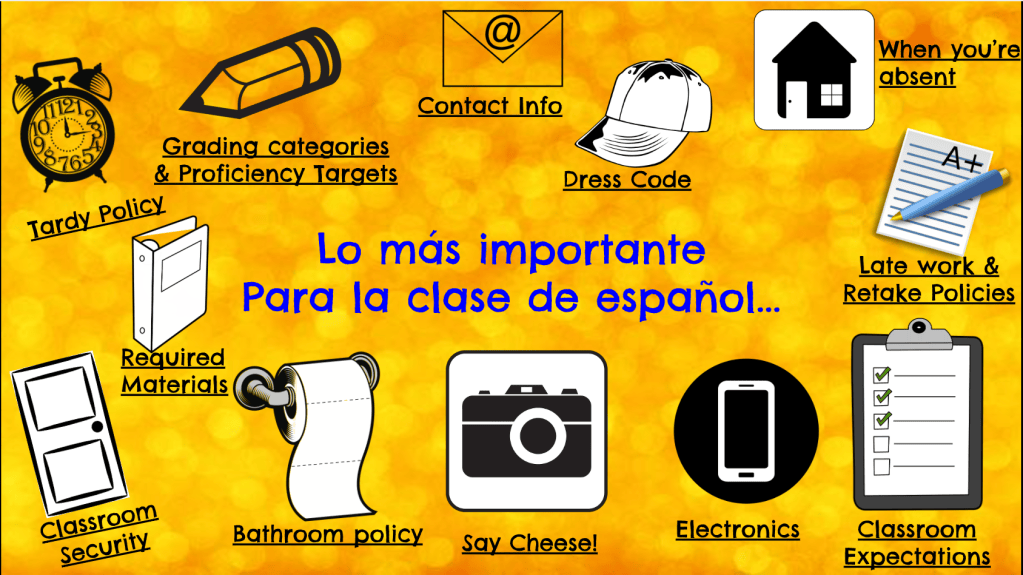
Grab a copy here of this slideshow and edit it to your heart’s content!
Include the important things about your class and your school and delete what doesn’t apply!
Tech Tip: Once you’re ready to share it with your Little Darlings and their parents, you’ll want to force them to open the slideshow in “Presentation Mode” so they can click around like an app, rather than read it like a traditional slideshow.
Open your sharing settings, change general access to “anyone with the link”. Then click “Copy Link”. Paste the link into the address bar and highlight the word “edit” in the link:

Replace the word “edit” with “present” and voilà. When you click enter, you’ll have a link that forces them to open it as a slideshow. That’s the link you’ll share with parents, post in your LMS, open to discuss in class etc.

I also love to gather all their info into one massive spreadsheet that I affectionately call MEGA DESK (a reference from The Office, you get extra credit if it made you smile). Here are all the details on Mega Desk but keep reading for the updated Student Interest Form and Parent Form.
I ask students to complete this form at the very beginning of the year. I use it to quickly catch the students who are enrolled in Spanish 1 but should be in a Heritage Class, learn their names and nicknames and a bit about them. I ask if there are any essential oils that bother them and what they need from me to help them learn. It only takes a few minutes but I go back to the info all year, especially if a Little Darling starts acting like a troll! If I’m having trouble connecting with a student, it’s helpful to go back and look at what sports he plays or what’s important to her, to look for some common ground.
Although theoretically my Little Darlings should all have their Chromebooks charged and ready to go on Day 1, it’s a good idea to print out some copies of the student form for anyone who can’t use their Chromebook on the first day of school. I collect the handwritten student interest surveys and my TA inputs them, so I have all of them in one place.
Here’s a copy of my Student Interest Form, edit away, friends!
To accompany the Student Interest form, I ask parents to complete a form as well. This is where I ask if they prefer a phone call or email for contact and if I should begin the conversation in English or Spanish. I ask them to click around the Syllabus and what I need to know to teach their son or daughter well. Here’s where I share my Gran Hotel Permission Slip for my Spanish 4 students.
Here’s a copy of the Parent Form for you to edit and use!
Then, I merge the student responses and parent responses into a giant spreadsheet: MEGA DESK! For the techy how to tutorial, click here!
Hope you’re excited about the 2026-2027 school year! Here’s to our best one yet!